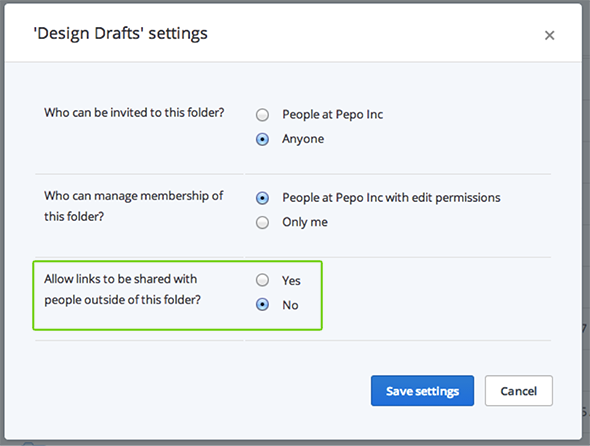
How do I control who accesses links created from my shared folders?
On Dropbox Business, shared folder owners manage who can create links to files in shared folders.
Adjust sharing settings for links from existing shared folders
- Sign in to dropbox.com.
- Hover your cursor over the shared folder for which you'd like to adjust link settings.
- Click the Share button that appears.
- In the pop-up window, click Folder settings.
- Select your preferences for the setting Allow links to be shared with people outside of this folder?
- Click Save settings.